
Adding a deal is one of the most important parts of our process!
Step 1. Select an option
Step 2. Add an address
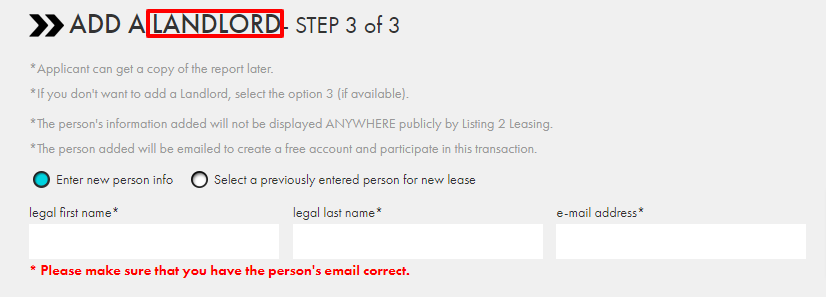
Step 3. Add the other individual that will receive the reports - Landlord, other Agent (if applicable)
Step 4. You get a link for others to apply to, when they apply, you get Notified!
---
If you are an agent/landlord you will need to log into your Listing 2 Leasing account and select Add Deal.
You will start by selecting an option for viewing the reports we generate.
(Example below - certain offices / jurisdictions may have different products offered)
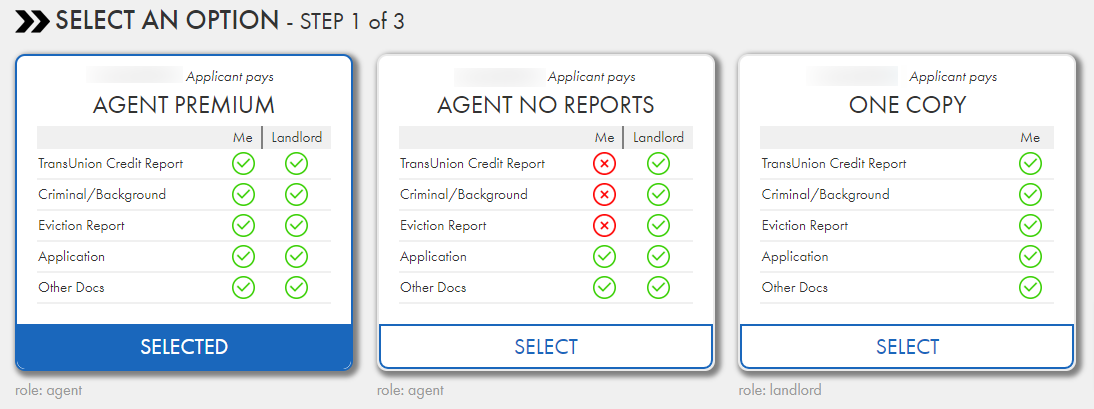
Afterward, the system will ask you if you would like manual verifications (Keep in mind price may vary depending on location):

Then, it will ask you for the landlord's name, number, and email address (after registering the property, the landlord will receive an email with a link to sign up as a landlord and be automatically linked to the deal). If you are the landlord (or if you are representing yourself as an agent) please put your own information here.
After that, you will add the property's lease available date, as well as the monthly rent. Below this, there is an option to attach an additional document to the listing (a document that states that there are no pets allowed for example)
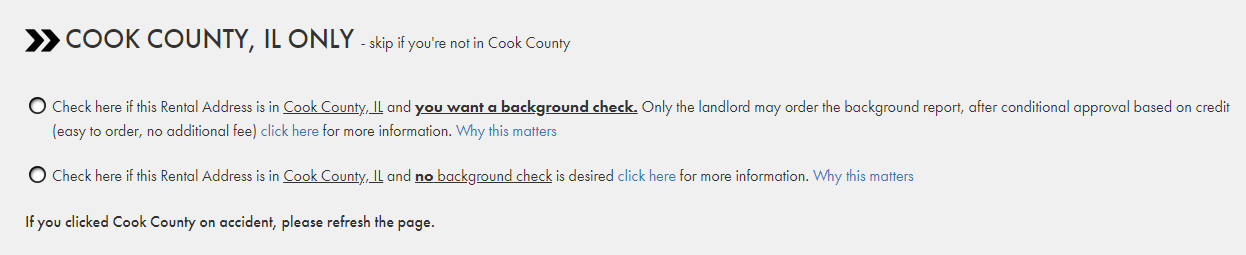
If you are not located in Cook County, IL please skip this step.
Agents in Cook County will not be able to order the background check, only the landlord can (Which will then be available to the listing agent).
The property is now registered and you are ready to send/publish the application link!
If chat is not available, please email us at customerservice@listing2leasing.com
Comments
0 comments
Please sign in to leave a comment.